Insert in the content
The shift schedule can be inserted into the content via shortcode as follows:
- Current month – default view
[shift-schedule]
- Current month – without information columns
[shift-schedule info="hide"] This visible result is also available if the CSS entries include the following:
th[data-info], td[data-info] { display: none; } - Current month – selected categories
[shift-schedule category="category-slug,category-slug2"] Only users who fall into the specified categories will appear in the table.
 - A particular month
[shift-schedule month="2020-08"] - Next month
[shift-schedule month="next"] - Latest month
[shift-schedule month="last"] - Insert one week
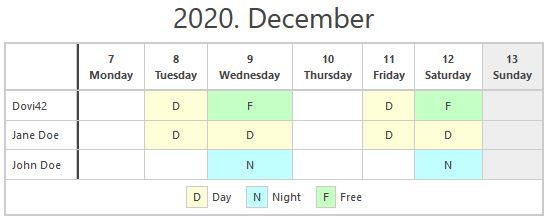
Current week:
[shift-schedule week="now"]
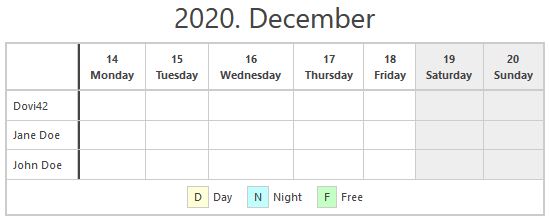
 Next week:
[shift-schedule week="next"]
Override name display
You may need to change the display of the name in the rows of the table. You have the shift_schedule_render_name filter for this. It is not defined in the plugin, but it checks to see if it exists and if so, uses it.
This pattern is a possible solution if e.g. you also want to display the category after the name. Copy your (chil) theme to the functions.php file for use:
function shift_schedule_my_render_name($user) {

    // $user = WP_Post Object
    $info = '';
    $terms = get_the_terms($user->ID, 'schedule-category');

    if (!empty($terms)) {
        $info = array();
        foreach ($terms as $term) {
            $info[] = $term->name;
        }
        if (!empty($info)) {
            $info = ' <small>['.implode(', ', $info) .']</small>';
        }
    }

    $html = $user->post_title . $info;
    return $html;
}
add_filter('shift_schedule_render_name', 'shift_schedule_my_render_name', 10, 1);
Name order
The plugin uses CPT (Custom Post Type) for subordinates, so the order can be modified with any plugin. (Eg.: Simple Custom Post Order)